
How to Delete Books From Your Kindle
If you have a Kindle reader, you likely have a library full of old books that you want to get rid of.
Whether it’s eBooks you borrowed from the library or ones you purchased, I’ll show you how to clean out your library.
A few things to note, before we start.
- “Delete download” will free up space on your Kindle, but you’ll still have the book if you purchased it. This means you can come back to it at any time and re-download it.
- “Permanently delete” is exactly what it says – it will delete the eBook forever. If you want to come back at any time, you will have to repurchase the book.
- There’s no way to remove purchased Kindle books from your library view unless you delete them permanently.
- On a Kids Kindle account, you can only delete downloads. You do not have the ability to permanently delete any book.
How to Delete Books Using Your Kindle ereader
First, make sure you are in your Library. Find the book you want to delete and tap the three dots in the upper right corner of the book cover.
Select “Delete Downloads” to delete the book from the device only. If you want to delete it forever, select “Permanently Delete.” You won’t see it again on any devices or in your Amazon account.
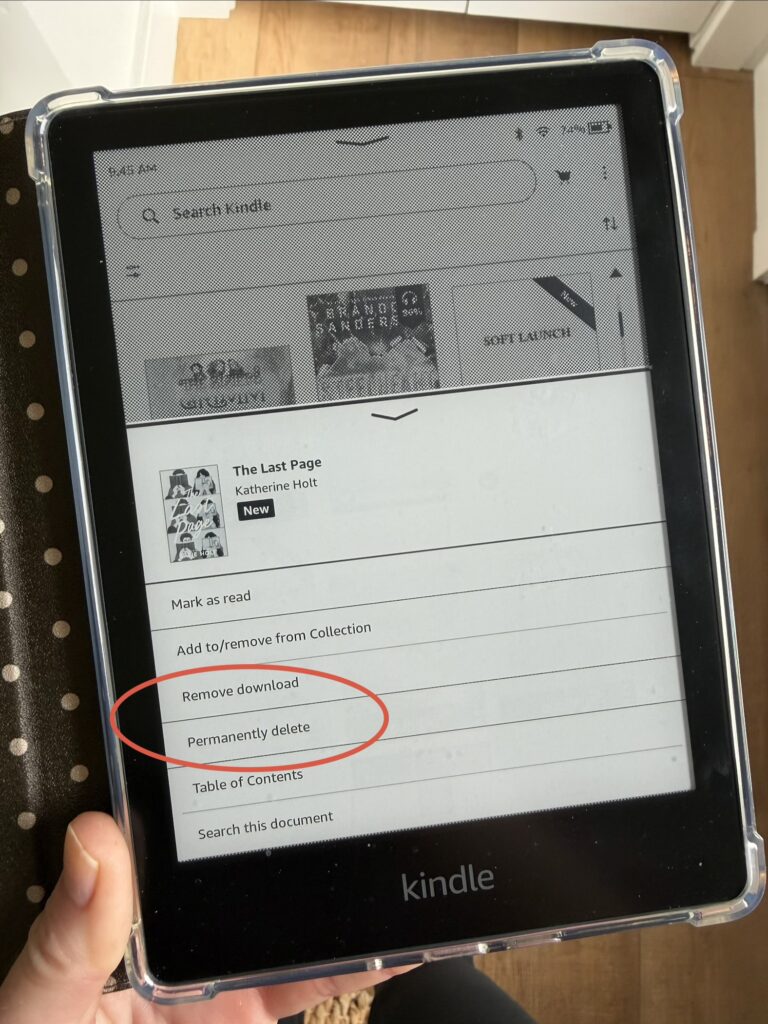
And that’s all!!
An alternative method is to long hold on the book cover and the same options will appear for you.
How to Delete Books Using Your Kindle App
Open your Kindle app and go to Library.
Long press on the book cover you want to delete.
Your options will look a little different if you buy or borrow the eBook.
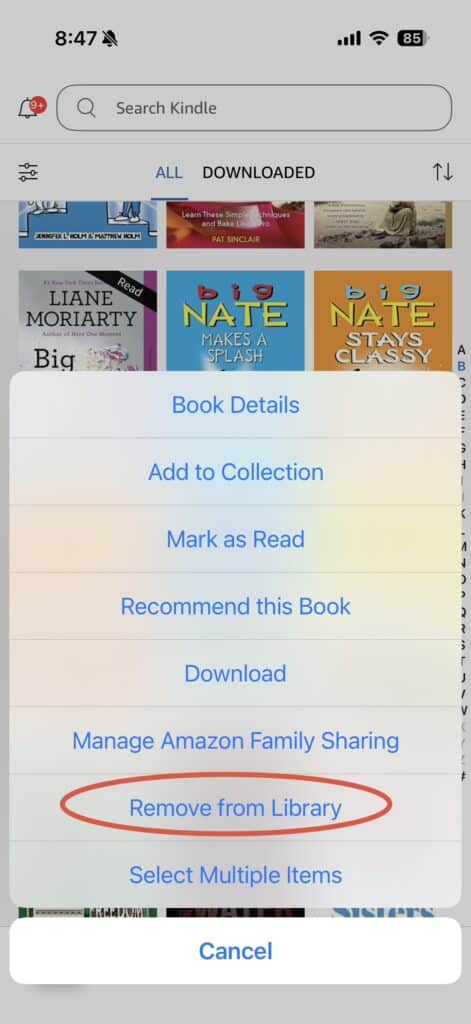
If you borrowed a book from your library, you would select “Remove from Library.”
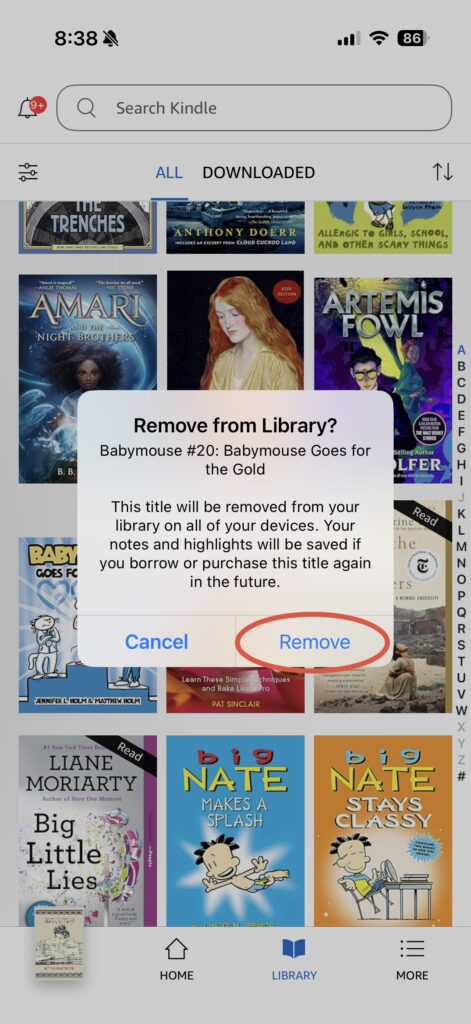
A prompt will appear as below. If you agree to the terms, tap “delete” and you will no longer see this book on any device.
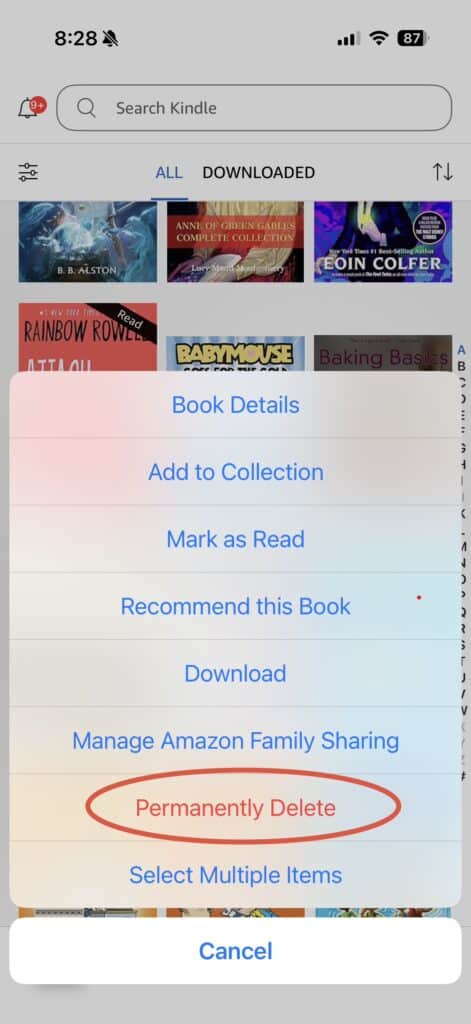
If the eBook is one you purchased and no longer want, you will select “permanently delete”. Again, you’ll have to repurchase if you want to access it.
Now you know everything you need to know about deleting books from your Kindle! I’m curious if you have any questions or follow-up questions after trying it.
If you liked this post on how to delete books from your Kindle, you might also like these other posts:
PakarPBN
A Private Blog Network (PBN) is a collection of websites that are controlled by a single individual or organization and used primarily to build backlinks to a “money site” in order to influence its ranking in search engines such as Google. The core idea behind a PBN is based on the importance of backlinks in Google’s ranking algorithm. Since Google views backlinks as signals of authority and trust, some website owners attempt to artificially create these signals through a controlled network of sites.
In a typical PBN setup, the owner acquires expired or aged domains that already have existing authority, backlinks, and history. These domains are rebuilt with new content and hosted separately, often using different IP addresses, hosting providers, themes, and ownership details to make them appear unrelated. Within the content published on these sites, links are strategically placed that point to the main website the owner wants to rank higher. By doing this, the owner attempts to pass link equity (also known as “link juice”) from the PBN sites to the target website.
The purpose of a PBN is to give the impression that the target website is naturally earning links from multiple independent sources. If done effectively, this can temporarily improve keyword rankings, increase organic visibility, and drive more traffic from search results.